Ideal Grid · YOOtheme Pro element

Ideal Grid

The YOOtheme grid with superpowers: polished hovers, badges, hover image or video, filters and lightbox. For Joomla and WordPress.

Joomla 4.4 · 5 · 6WordPress 6.2 +PHP 8.1 – 8.4YOOtheme Pro 4 · 5FR · EN · DE · ITFalang compatible

Filterable portfolio

Pill filters, sliding gradient hover, badges on the image and a lightbox gallery on click.

Settings: “Gradient” hover, “Bottom left” position, “Slide up” animation, badges top left

New

Restaurant Le Lac

Showcase site · booking

Yoga studio

Class schedule

Drone

Aerial view

Drone · Neuchâtel

Web agency

Joomla 6 redesign

Café de la Gare

Dynamic menu

Sale

Fitness club

Opening hours · memberships

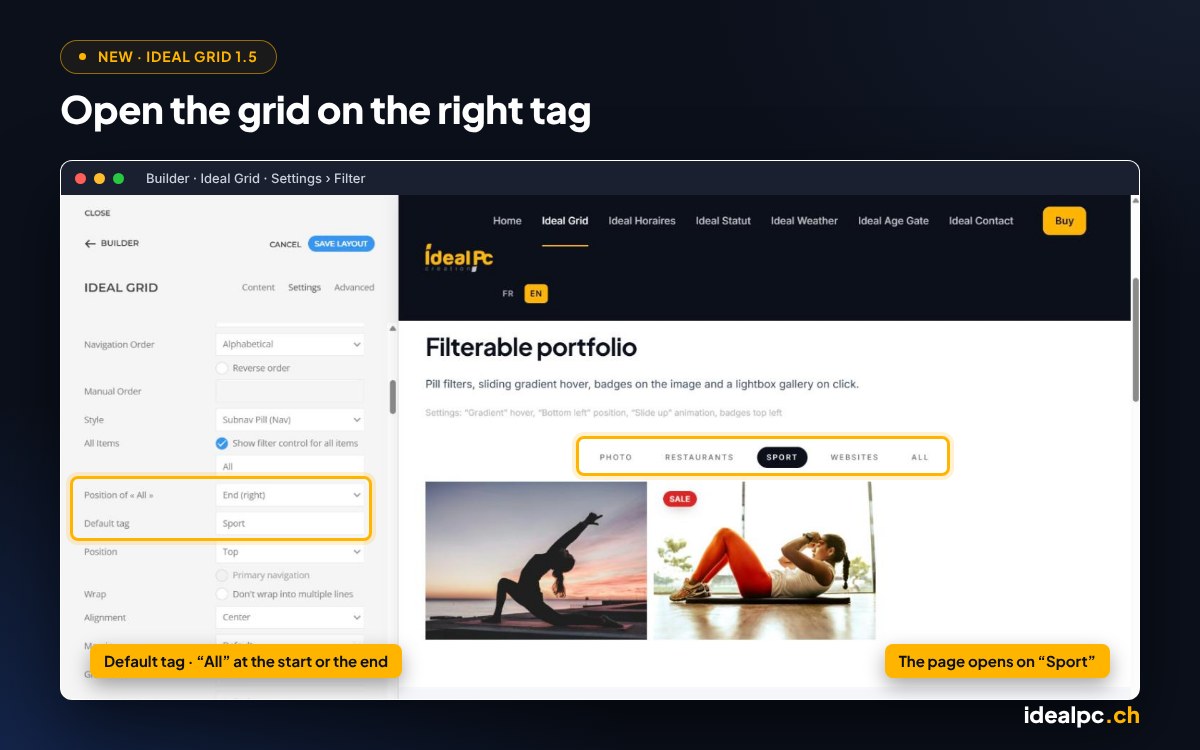
New in 1.5: the grid opens on the right tag

The same portfolio, set to open on “Sport”, with “All” at the end of the menu. Perfect for a seasonal shop: in December, open straight on “Christmas”, and the other collections stay one click away.

Settings: Filter › Default tag “Sport”, Position of « All » “End (right)”

New

Restaurant Le Lac

Showcase site · booking

Yoga studio

Class schedule

Drone

Aerial view

Drone · Neuchâtel

Web agency

Joomla 6 redesign

Café de la Gare

Dynamic menu

Sale

Fitness club

Opening hours · memberships

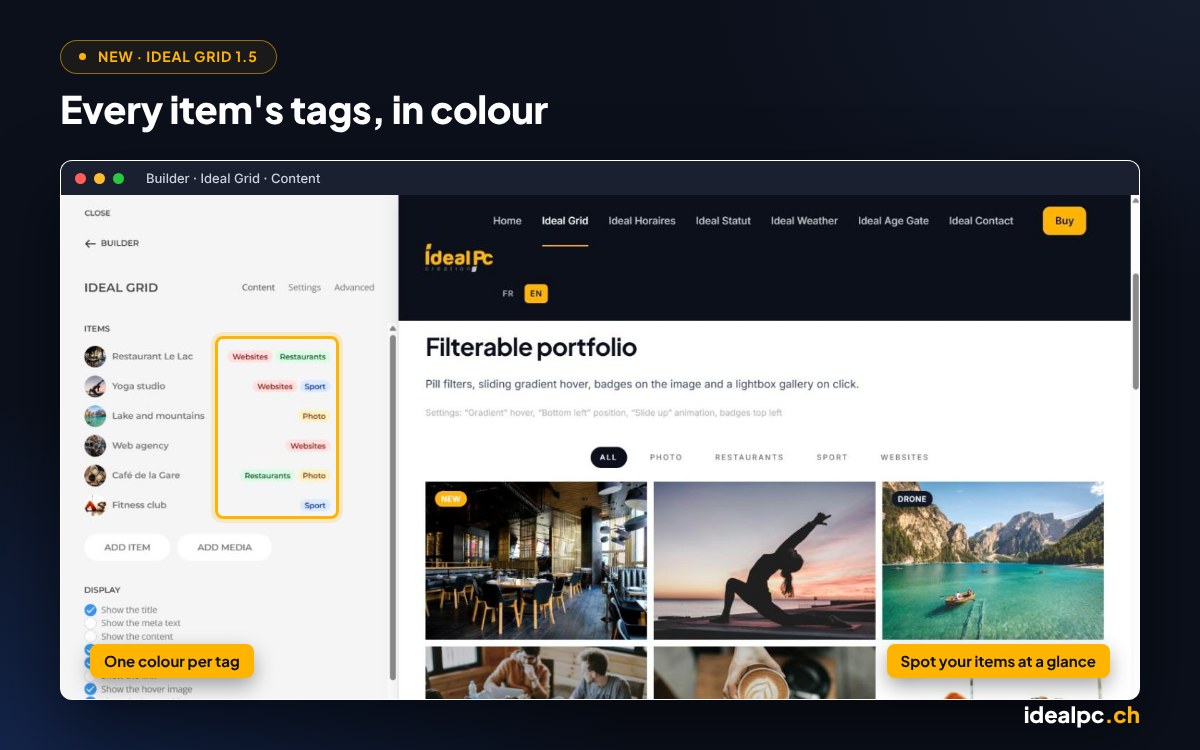
And in the builder

Each item’s tags are shown in colour in the builder’s item list: you spot your Christmas, Halloween or Easter items at a glance, even when several have the same title.
New in 1.6: an automatic “New” badge

Every item you add or copy in the builder gets its date added and shows a “New” badge for the number of days you choose, then the badge goes away by itself. The text and colour are up to you. Here, “Fitness club” keeps its “Sale” badge: both are shown, one below the other. “Yoga studio”, added more than a year ago, no longer has a badge.

Settings: Badges › “New” badge on, Duration 365 days (for the demo, 30 by default), Custom colour

New

Café de la Gare

Dynamic menu

SaleNew

Fitness club

Opening hours · memberships

Yoga studio

Class schedule

Shop: cards with hover image and ribbons

A second image appears on hover. Corner ribbon badges highlight new items and offers.

Settings: “Card” style, “Corner ribbon” badge shape, colour per item

New
24.– CHF

House espresso

Hover: a second image appears.

-20 %
1’290.– CHF

Workstation

Red “-20 %” badge.

Favourite
Booking only

Chef’s table

Corner ribbon, dark colour.

From CHF 180.–

Mountain stay

No badge, just the hover image.

Team: frosted glass effect

The background blur lets the photo show through behind the text.

Settings: “Frosted glass” hover, “Zoom” animation, centred text, always visible on mobile

The team

“Frosted glass” blur

The office

Zoom animation

Open space

Centred text

The code

Always visible on mobile

Services with icons

No image needed: an icon from the YOOtheme library is enough.

Settings: “Tile muted” style, UIkit icons

Websites

Joomla websites and redesigns.

Photo & drone

Aerial photography.

Development

Custom extensions.

Shop

Built-in Stripe payment.

Security

Backups and updates.

Support

One direct contact.