Ideal Contact · CHF 29.– · component + module + YOOtheme Pro element

Ideal Contact

Spam-free contact forms for Joomla and YOOtheme Pro. The successor to Fox Contact: the same designer, the same settings, and import of your Fox Contact forms.

Joomla 3.10 · 4.4 · 5 · 6PHP 7.4 – 8.4YOOtheme Pro 4 · 57 languages

Try it

This is a real Ideal Contact form, placed with the « Ideal Contact » YOOtheme Pro element. Send it: the enquiry arrives by email and is saved in the administrator.

On the demo, the copy to the visitor is turned off. The security code is a sum; you can also choose letters, Google reCAPTCHA, Cloudflare Turnstile or hCaptcha.

Contact us

If you want more information, fill in this form. We will get back to you as soon as possible.

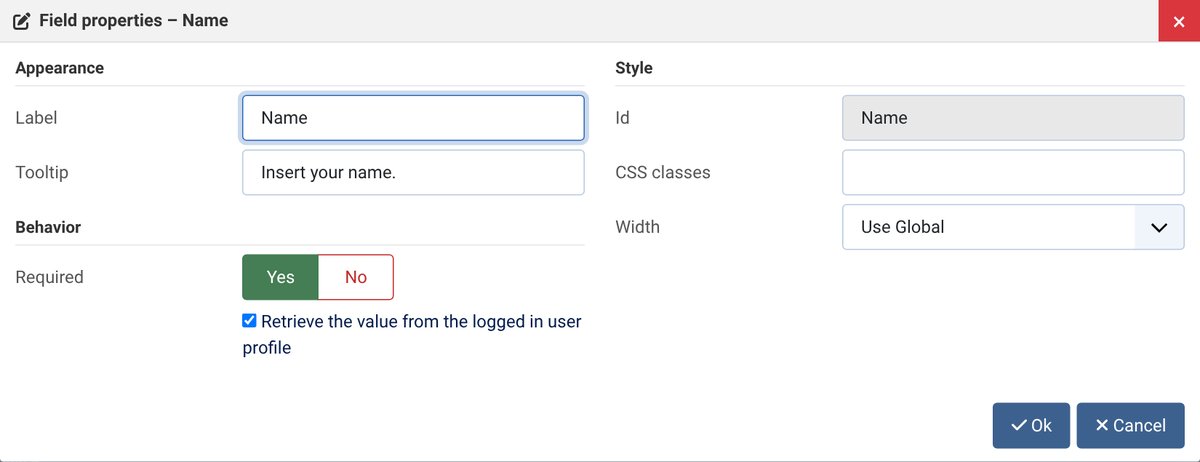
Insert your name.
Sum to solve

Like Fox Contact

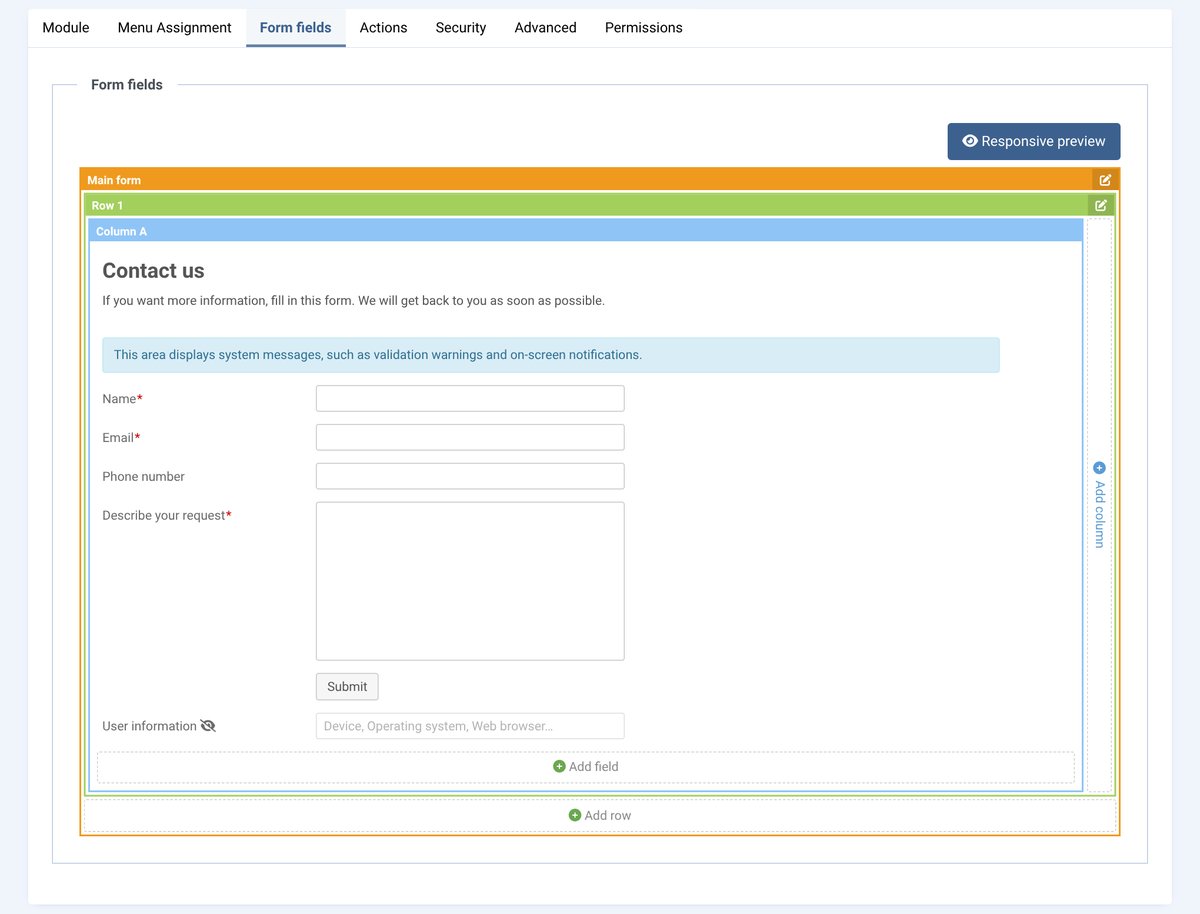
  • The same designer: rows, columns, drag-and-drop fields
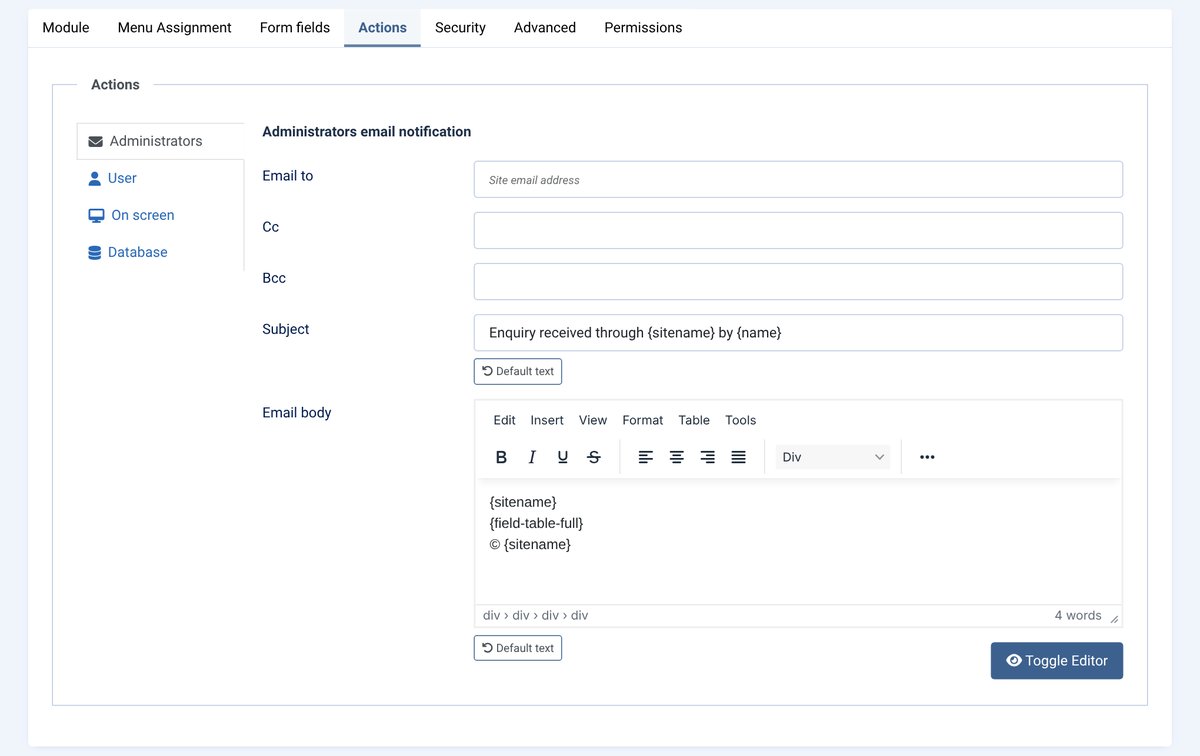
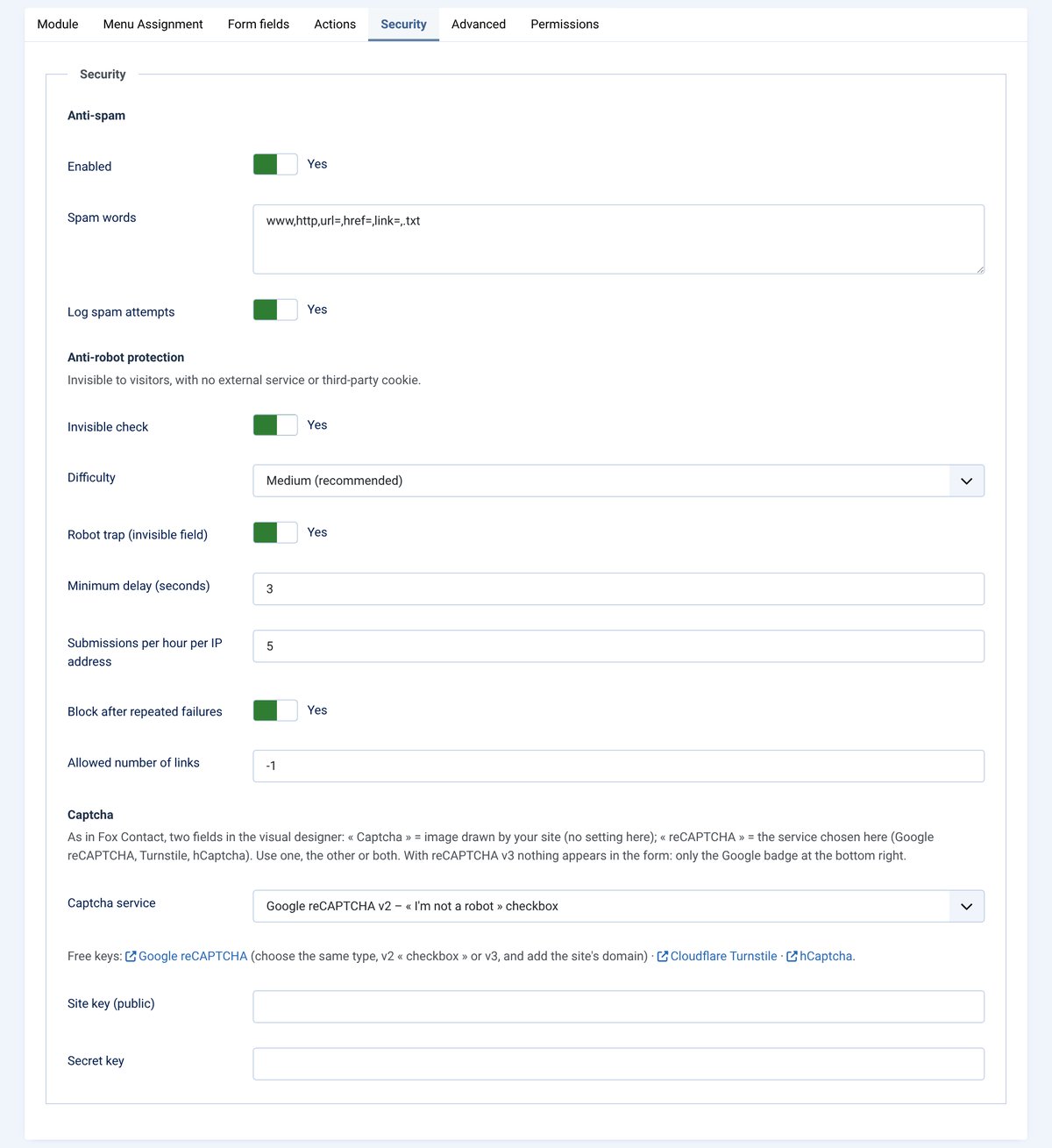
  • The same tabs: Form fields, Actions, Security
  • A form in a module, a contact page or a YOOtheme Pro page
  • Labels beside or inside the fields, in the site’s UIkit or Bootstrap style
  • Sending without reloading the page, message or redirection

What you can set

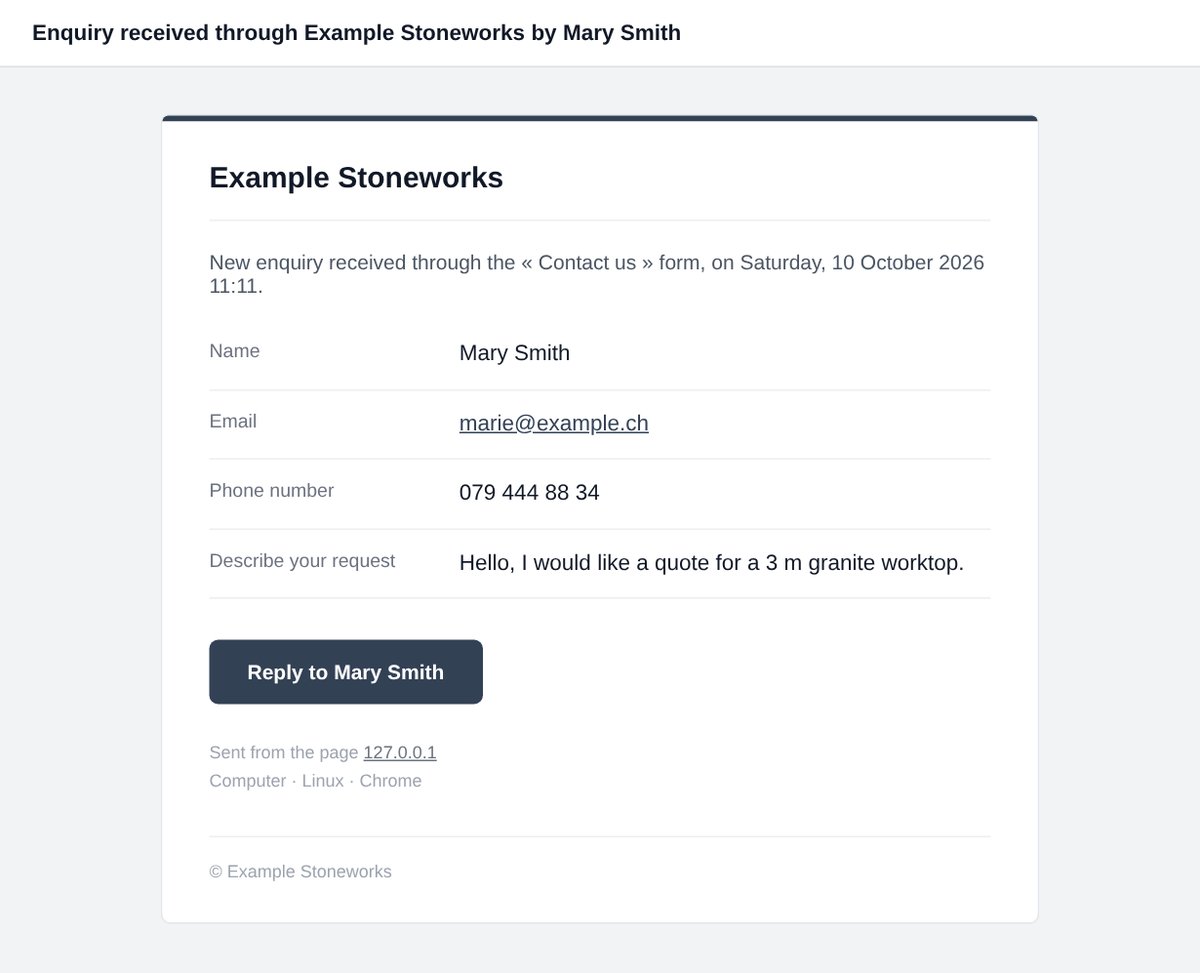
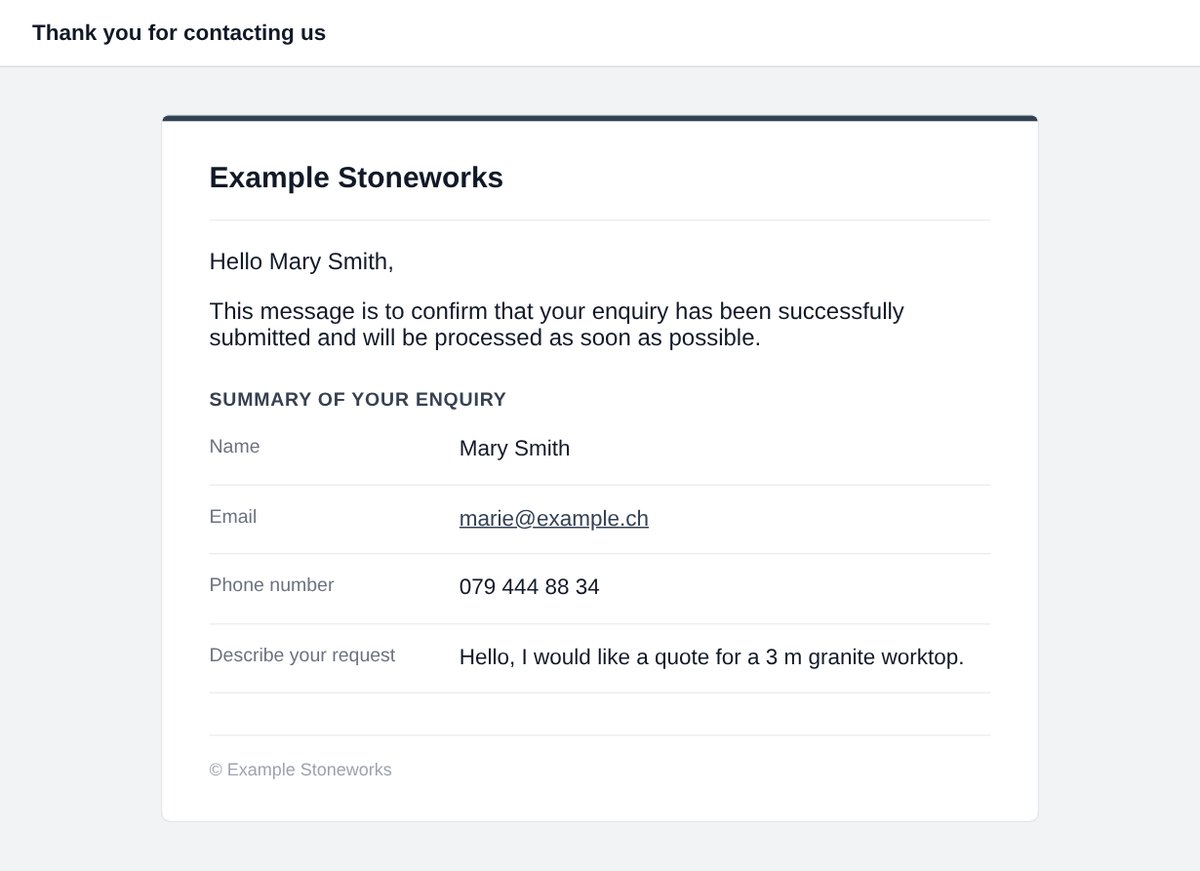
  • Polished email to the administrators, with a Reply button, and a copy to the visitor with a summary
  • Default texts in the form language, restored in one click
  • Attachments, formatted phone numbers, enquiry number (125-QUOTE), AcyMailing sign-up
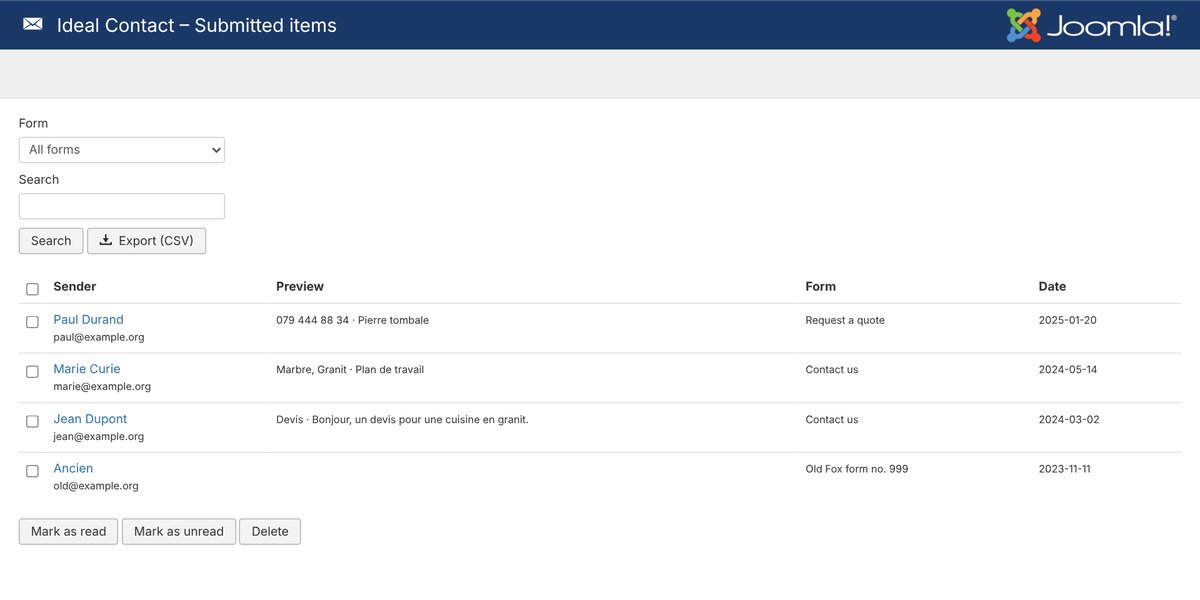
  • Saved enquiries: read / unread, CSV export

Simple and reliable

  • Invisible anti-spam: browser check, bot trap, delays and limits per IP address
  • Image captcha without any external service, or reCAPTCHA v2/v3, Turnstile, hCaptcha
  • Joomla 3.10 to 6 with the same package, PHP 7.4 to 8.4
  • Interface and texts in 7 languages

Leaving Fox Contact?

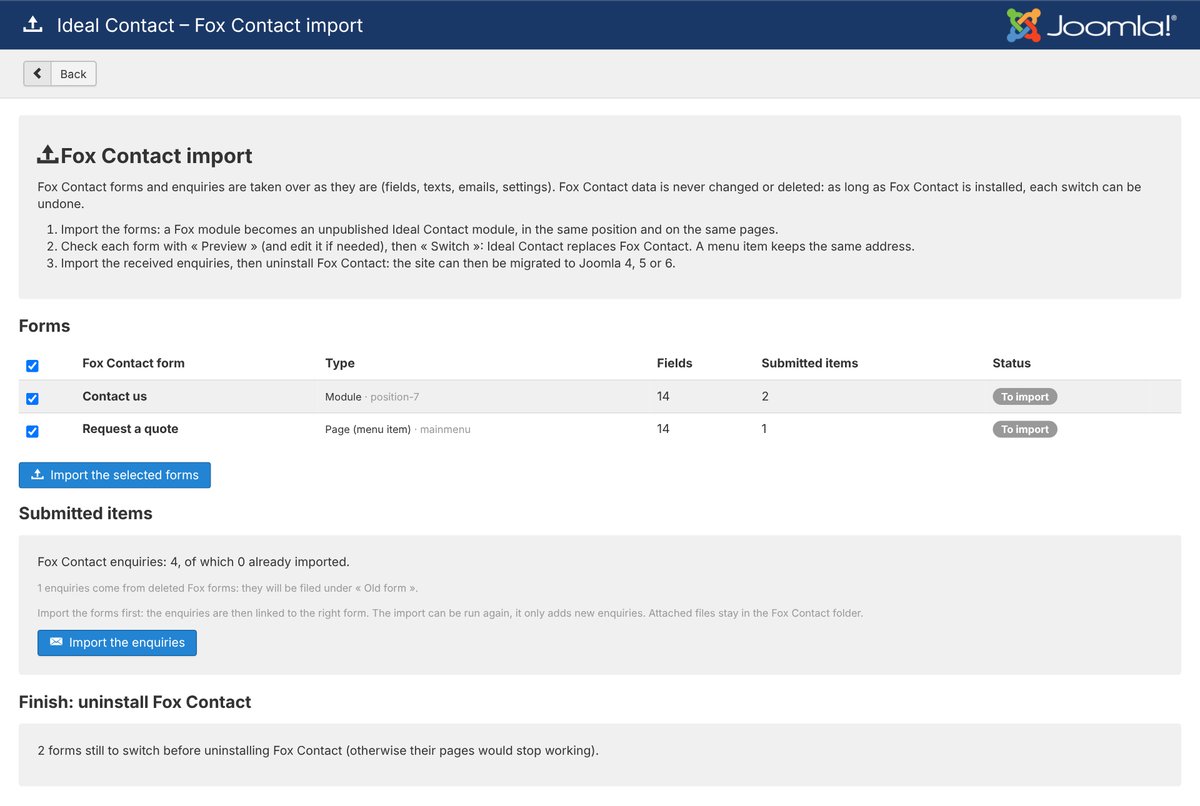
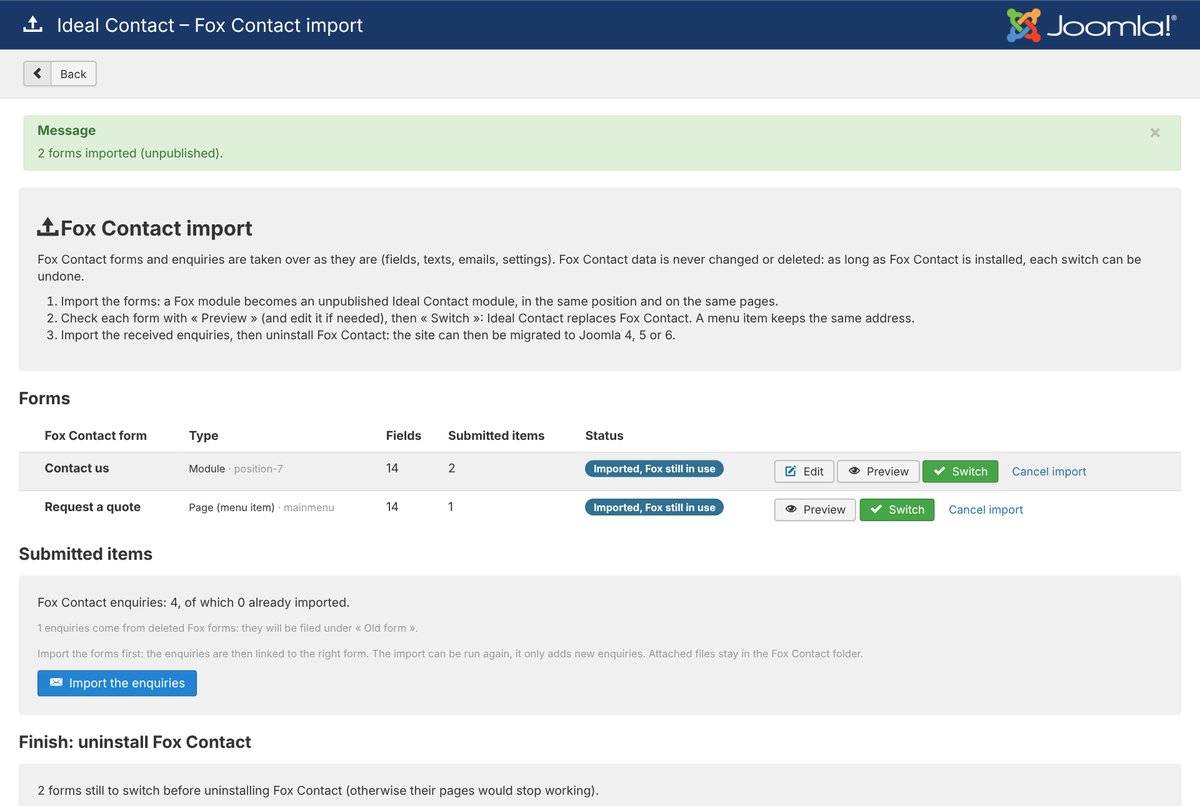
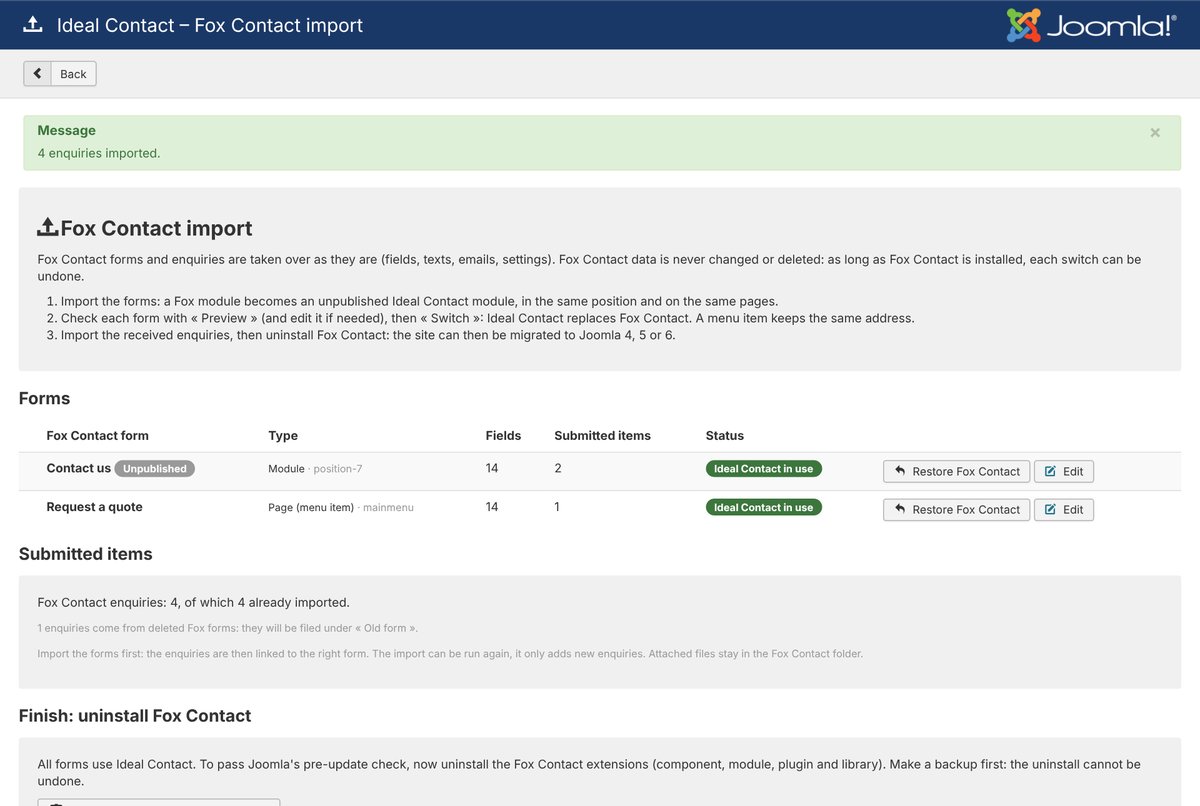
Fox Contact does not work on Joomla 4, 5 or 6. Ideal Contact installs on your Joomla 3.10 site and takes over your forms and enquiries: you switch form by form, then migrate whenever you like.

  1. Fox Contact is detected
  2. Everything is analysed
  3. The forms are taken over
  4. You switch and import the enquiries
  5. Your old enquiries are there; Fox Contact can be uninstalled
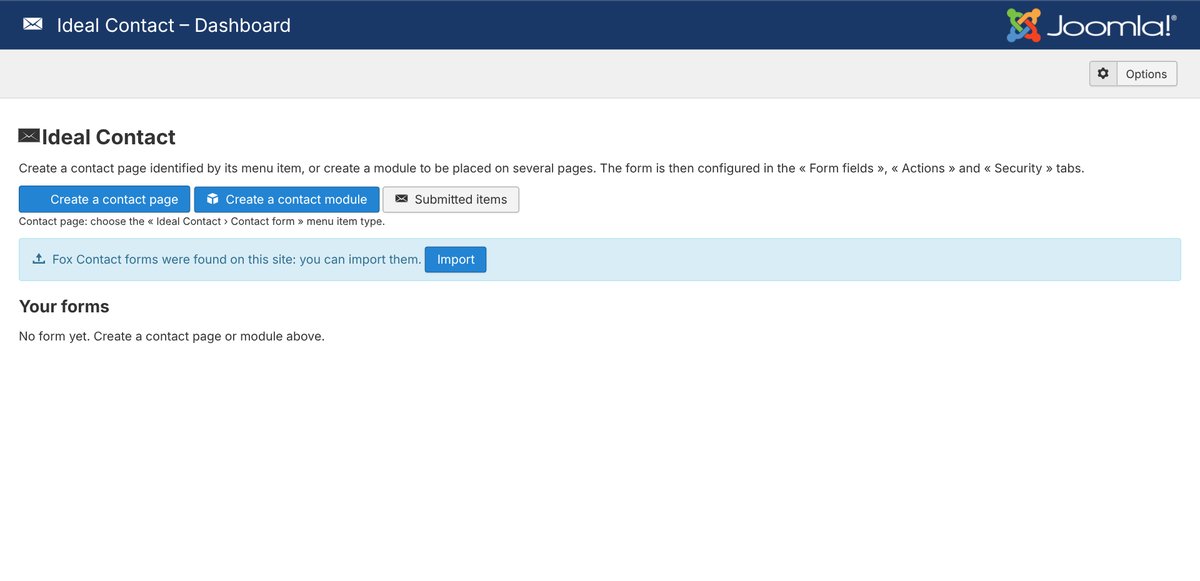
Screenshots